SnapSaw 1.2.0 is out · now on Windows & macOS

Every screenshot you've ever taken. Instantly searchable.

SnapSaw automatically indexes text, visuals, and app metadata for every capture. Find any detail in seconds with semantic search—100% private and runs locally on your PC.

check_circleFree for 200 screenshotscheck_circlePrivate & local-firstcheck_circleNo credit card
SnapSaw — Pro Workspace
SnapSaw App Dashboard

Works with everything on your screen

Chrome
Firefox
Arc
Gmail
YouTube
WhatsApp
Telegram
X
Reddit
Discord
Zoom
Spotify
Netflix
Steam
Dropbox
Chrome
Firefox
Arc
Gmail
YouTube
WhatsApp
Telegram
X
Reddit
Discord
Zoom
Spotify
Netflix
Steam
Dropbox
Figma
Notion
Linear
GitHub
GitLab
Stack Overflow
Trello
Jira
Asana
Obsidian
Docker
Postman
Vercel
Blender
Evernote
Todoist
Figma
Notion
Linear
GitHub
GitLab
Stack Overflow
Trello
Jira
Asana
Obsidian
Docker
Postman
Vercel
Blender
Evernote
Todoist

Search by what you remember, not what you named it.

SnapSaw uses advanced local AI to index every word, image, and shape on your screen. Just describe it in plain English.

search

Type a quick query:

search
 
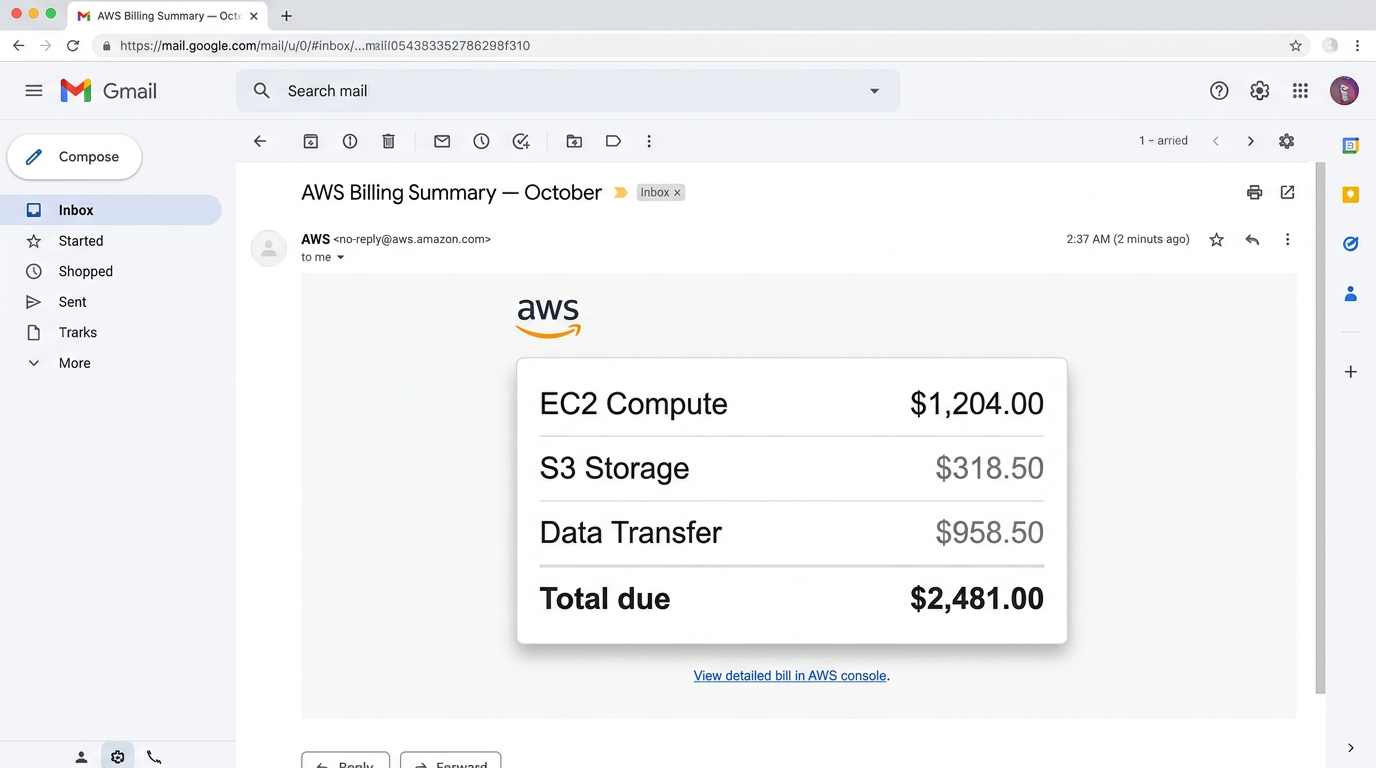
AWS billing summary — OCT
Gmail · 3w ago
AWS billing summary — OCT
Coffee receipt for expenses
Photos · 6w ago
Coffee receipt for expenses
The Old Way

Screenshot_2024_11_14.png

A Pictures folder with 2,000 unnamed files. Windows Search that can only find text in filenames. Twenty minutes of scrubbing thumbnails to find the invoice you took three months ago.

folder_off
auto_awesome
The SnapSaw Way

“the AWS bill from October”

Every screenshot arrives with a title, a description, tags, and a category. Search by what's in the picture, not what you named it. Under a second — from a database that lives on your PC.

psychology

See SnapSaw in Action

Watch this walkthrough to see how SnapSaw runs silently in the background, indexes screenshots instantly, and retrieves what you need in seconds.

Walkthrough Demo

A memory layer for everything on your screen.

SnapSaw sits quietly in the tray. Every capture — no matter which app it came from — becomes searchable within seconds, on device.

language

Search in plain English

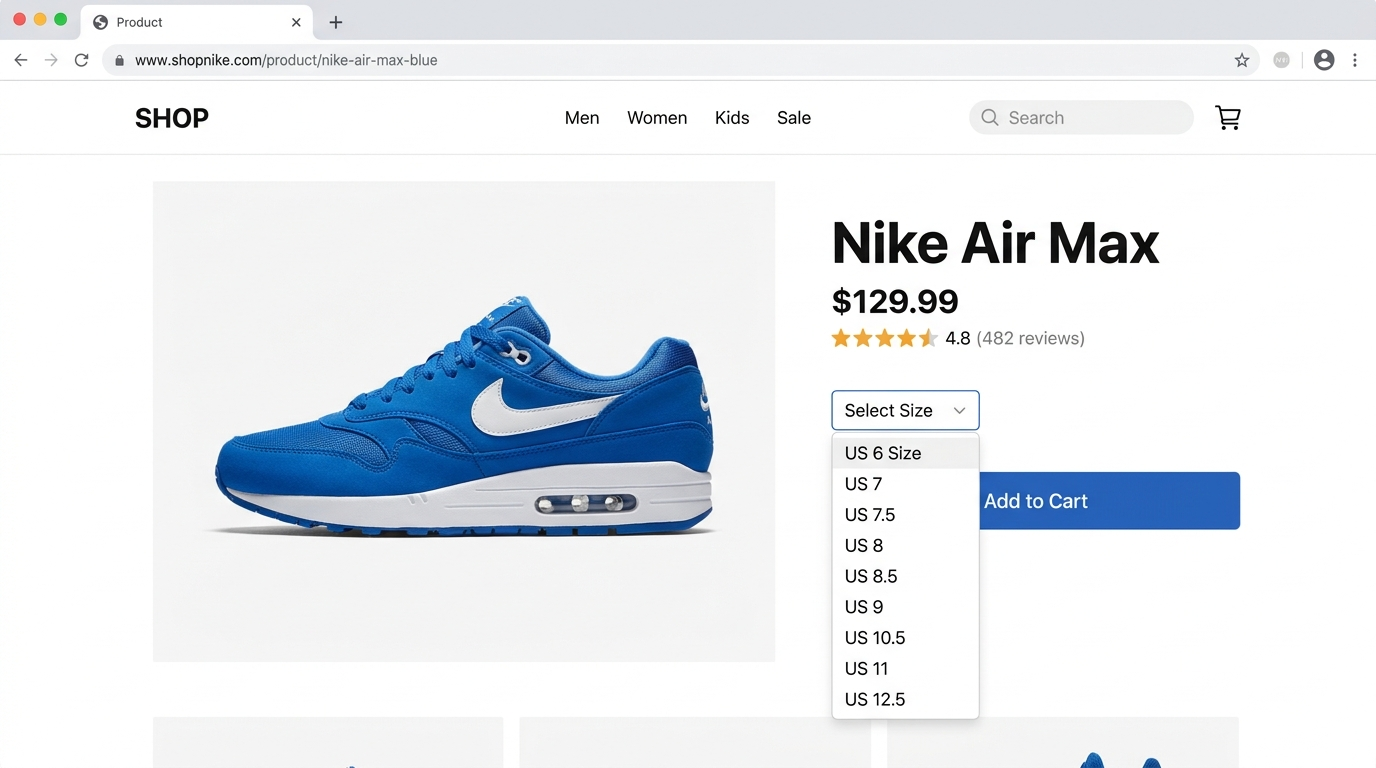
"the invoice my client sent", "that blue Nike shoes", "the PM2 error from yesterday" — SnapSaw understands intent, not just keywords.

visibility

AI Vision + OCR

Reads every word on screen and understands what's in the picture — logos, colors, layout, faces.

photo_camera

Captures the way you already work

Win+Shift+S, PrintScreen, or drop into a watched folder.

psychology

Rich auto-memory

Each shot gets a title, description, tags, and category — written the moment you take it.

bolt

Instant retrieval, even at 3,000 shots

Sub-second search across every screenshot you've ever taken — no cloud round-trip.

shield_lock

Private by design

Your library lives in a local database on your PC. Never sold, never mined, exportable any time.

Three steps to a perfect memory.

1

Capture

Take a screenshot the way you already do — Win+Shift+S, PrintScreen, or drop an image into a watched folder.

2

SnapSaw remembers

AI reads the text, sees the image, and writes a title, description, tags, and category — all in the background.

3

Find it in seconds

Open SnapSaw and describe what you remember. First result is almost always the one you wanted.

What people say after a week with SnapSaw.

Designers, developers, and knowledge workers who stopped renaming things.

Dario Fontanella
Dario Fontanella
@dariobuilds · 2d

ok i was skeptical but i typed the error from tuesday and it just... found it. the actual screenshot. i never named a single file

Meera Nair
Meera Nair
@meera_ships · 1w

my pictures folder has like 4000 screenshots. found a wifi password i screenshotted in january in two seconds lol

Tomasz Wilk
Tomasz Wilk
@tomwilk_dev · 3d

the fact that everything stays on my own pc and not in someones cloud is the only reason i installed it. still using it 3 weeks later

Renata Souza
Renata Souza
@renatadraws · 5d

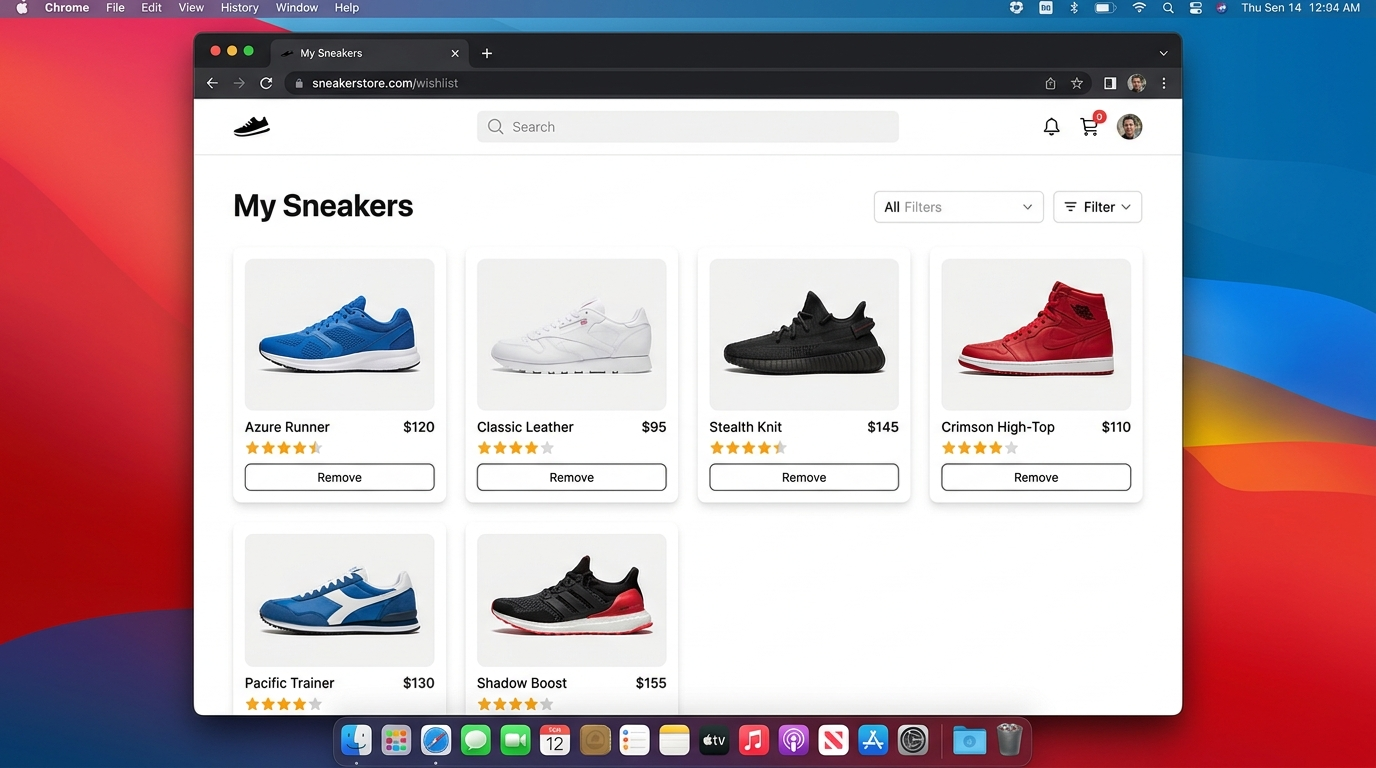
searched blue sneakers and it pulled up the nike page i screenshotted last month. that word is not in the filename. not even on the page title

Callum Reid
Callum Reid
@calreid · 6h

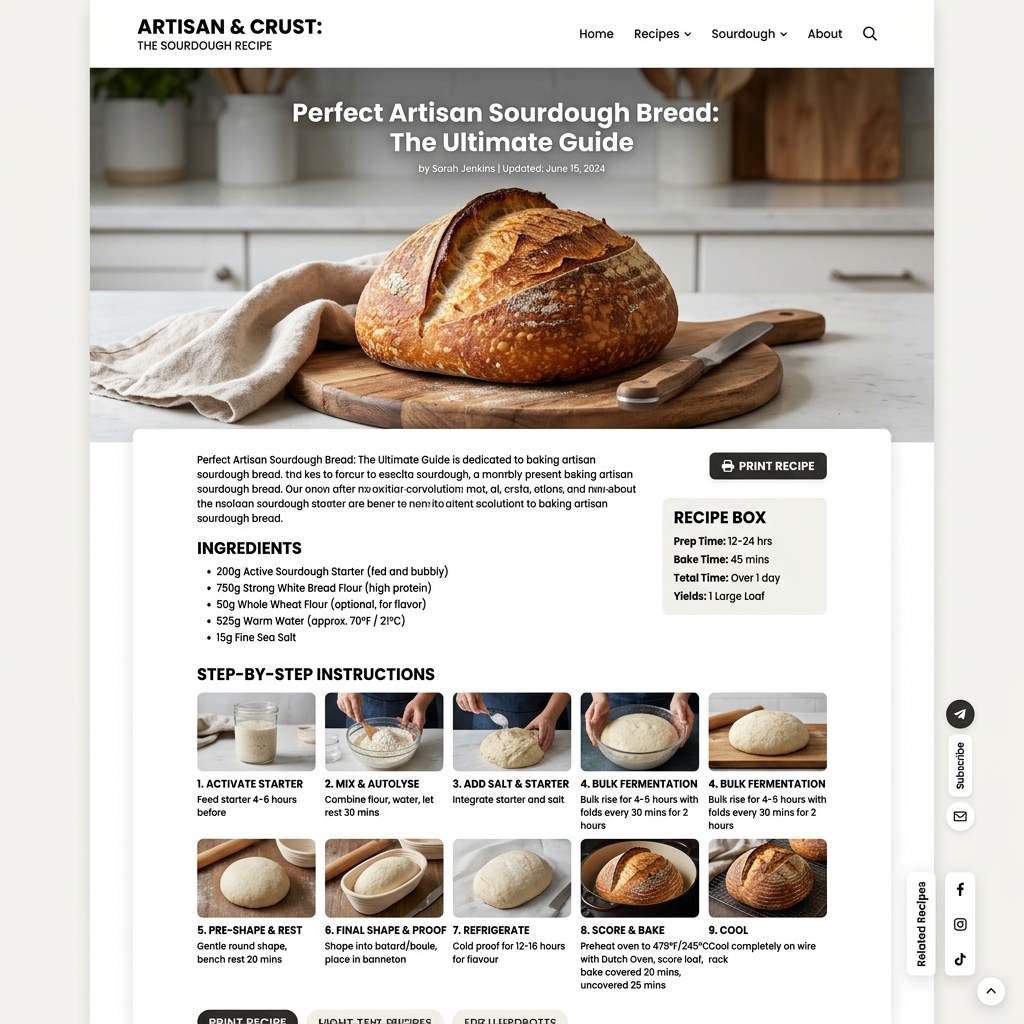
i screenshot recipes instead of bookmarking them like a normal person. this app was basically made for me

Yuki Tanabe
Yuki Tanabe
@yukitanabe_ · 4d

win shift s and its already indexed by the time i alt tab back. how. genuinely how

Dario Fontanella
Dario Fontanella
@dariobuilds · 2d

ok i was skeptical but i typed the error from tuesday and it just... found it. the actual screenshot. i never named a single file

Meera Nair
Meera Nair
@meera_ships · 1w

my pictures folder has like 4000 screenshots. found a wifi password i screenshotted in january in two seconds lol

Tomasz Wilk
Tomasz Wilk
@tomwilk_dev · 3d

the fact that everything stays on my own pc and not in someones cloud is the only reason i installed it. still using it 3 weeks later

Renata Souza
Renata Souza
@renatadraws · 5d

searched blue sneakers and it pulled up the nike page i screenshotted last month. that word is not in the filename. not even on the page title

Callum Reid
Callum Reid
@calreid · 6h

i screenshot recipes instead of bookmarking them like a normal person. this app was basically made for me

Yuki Tanabe
Yuki Tanabe
@yukitanabe_ · 4d

win shift s and its already indexed by the time i alt tab back. how. genuinely how

lock

Your library stays on your device.

Every screenshot and its search index live in a private SQLite database on your own PC — never on our servers. New captures are analyzed over a secure connection, then everything stays local to you. Export or delete anytime.

storage Local SQLite Database
cloud_off No Cloud Uploads of Your Library
download Export or Delete Anytime

Version 1.2.0 · Windows & macOS

Get SnapSaw for your machine.

Same local-first search, same privacy, on both platforms. Free for your first 200 screenshots — no account needed to start.

desktop_windows

Windows

Windows 10 & 11 · one-click installer, no admin rights needed.

downloadDownload .exe
laptop_mac

macOS

macOS 11 or later. First launch: right-click the app and choose Open — the build isn't notarized yet.

downloadDownload .dmg

Simple, honest pricing.

Start free. Upgrade when you outgrow 200 screenshots — or when you want cloud backup across devices.

Free

Everything you need to try it on your real work.

$0/forever
  • check Up to 200 indexed screenshots
  • check Full natural-language search
  • check AI Vision, OCR, and auto-tagging
  • close Cloud backup & multi-device sync
Download free
Most Popular

Pro

For power users who screenshot everything, all day.

$3.5/mo

$42/year — or $5/mo billed monthly

  • check Up to 3,000 indexed screenshots
  • check Encrypted cloud backup
  • check Multi-device sync across Windows & macOS
  • check Priority email support
Go Pro

Team

Shared vaults for design, research, and support teams.

Custom
  • check Everything in Pro
  • check Shared searchable libraries
  • check SSO & admin controls
  • check Volume licensing
Talk to us

Stop renaming.
Start remembering.

Install SnapSaw and let it index your next 200 screenshots — free, forever. If it doesn't feel like magic within a week, uninstall in one click.

Windows 10 & 11 · macOS 11+ · v1.2.0